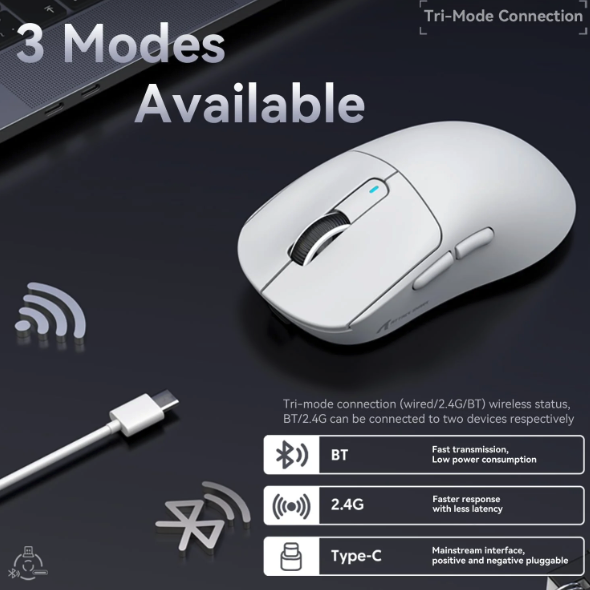
In competitive gaming, every millisecond counts. The difference between landing a headshot and missing by a pixel often comes down to the tool in your hand—your gaming mouse. For years, the debate between wireless and wired gaming mice has divided the competitive community. Purists swore by the reliability of a cable, while others longed for the freedom that wireless technology promised but couldn’t quite deliver. That landscape has shifted dramatically in recent years, and the conversation deserves a fresh look.
This article breaks down the wireless versus wired debate with a focus on what actually matters for performance. We’ll examine latency differences and whether wireless mice have truly closed the gap, explore how mouse sensitivity settings can sharpen your competitive edge, and investigate why ultralight gaming mice have become the weapon of choice for professional players. Whether you’re a ranked grinder or an aspiring esports competitor, you’ll walk away with the knowledge to choose a gaming mouse that genuinely elevates your play.
The Fundamental Comparison: Wireless vs Wired Gaming Mice
At their core, wireless and wired gaming mice differ in how they communicate with your PC. A wired mouse sends input data through a physical USB cable, delivering a direct electrical connection between sensor and computer. A wireless mouse transmits that same data over radio frequency—typically via a proprietary 2.4GHz dongle or Bluetooth—eliminating the tether entirely. This distinction once meant clear trade-offs: wired meant speed and reliability, wireless meant freedom with compromise. That equation has fundamentally changed.
Modern wireless gaming mice from top manufacturers now use custom protocols engineered specifically for competitive play. These systems poll at 1000Hz or higher, matching and sometimes exceeding wired polling rates. Companies have invested heavily in minimizing transmission overhead, and the result is a generation of wireless mice that professional esports players trust in tournament settings where prize money is on the line. The technology has matured to the point where choosing between wireless and wired is no longer a performance penalty decision—it’s a preference decision shaped by your setup, habits, and priorities.
Latency and Response Time: Myth vs. Reality
The persistent myth that wireless mice introduce noticeable input lag stems from early wireless technology that genuinely suffered from inconsistent response times. First-generation wireless gaming mice could add 10-20 milliseconds of delay—enough for competitive players to feel the difference during fast-paced engagements. That era is over. Independent testing from outlets like RTings and hardware analysts consistently shows that premium wireless gaming mice now achieve response times between 1-2 milliseconds, functionally identical to their wired counterparts. In blind tests, even professional players cannot reliably distinguish between a top-tier wireless mouse and a wired one. The key factor isn’t whether your mouse has a cable—it’s the quality of the sensor and the efficiency of the communication protocol. A budget wired mouse with a mediocre sensor will perform worse than a high-end wireless mouse with optimized firmware. When evaluating latency, focus on the specific model’s tested performance rather than making assumptions based on connection type alone.
Reliability, Interference, and Battery Life
Connectivity stability remains a legitimate consideration for wireless mice, though problems are rarer than many assume. Modern 2.4GHz dongles use frequency-hopping technology to avoid interference from Wi-Fi routers, Bluetooth devices, and other wireless peripherals. In practice, signal dropouts on quality wireless gaming mice are virtually nonexistent in typical gaming environments. Battery life has also improved dramatically—many wireless mice now last 70 to 100 hours on a single charge, meaning weekly charging rather than daily anxiety. Some models support wireless charging through compatible mousepads, eliminating battery management entirely. That said, a wired mouse never needs charging, never risks dying mid-match, and maintains a perfectly consistent connection regardless of your wireless environment. For players in RF-dense environments like shared apartments or LAN events, wired still offers absolute peace of mind.
Convenience and Desk Setup Freedom
Beyond raw performance metrics, the physical experience of using a wireless mouse offers tangible gameplay benefits. Cable drag—the subtle resistance and inconsistent friction created by a wire catching on desk edges or pulling from a bungee—disappears entirely with wireless. This means your mouse movements feel uniform across your entire pad surface, which is particularly noticeable during wide swipes in low-sensitivity FPS play. A clutter-free desk also reduces distractions and allows for more flexible monitor and keyboard positioning. Players who attend LAN events or frequently move their setup appreciate the simplified pack-up process. For gamers who value a clean aesthetic and unrestricted movement, wireless mice deliver a quality-of-life upgrade that can subtly improve focus and consistency during extended competitive sessions.
Mastering Mouse Sensitivity for Competitive Edge
Your mouse hardware only tells half the story. The sensitivity settings you configure determine how that hardware translates your physical hand movements into in-game actions. Getting mouse sensitivity right is arguably more impactful than choosing between wireless and wired—a perfectly tuned sensitivity transforms inconsistent aim into repeatable precision. Yet many competitive players either never adjust their defaults or chase arbitrary numbers without understanding the underlying mechanics. A deliberate, informed approach to sensitivity configuration can unlock performance gains that no hardware upgrade alone can match.
Understanding DPI and Sensitivity Settings
DPI—dots per inch—measures how many pixels your cursor moves for every inch your mouse physically travels across the pad. A mouse set to 800 DPI moves the cursor 800 pixels per inch of hand movement, while 1600 DPI doubles that cursor travel. This is a hardware-level setting controlled by the mouse sensor itself. In-game sensitivity then multiplies this base movement, creating your effective sensitivity or “eDPI” (DPI multiplied by in-game sens). Understanding this relationship matters because two players can achieve identical cursor speeds through different DPI and in-game sensitivity combinations, but the feel differs subtly. Higher DPI values allow the sensor to track more granular movements, which can result in smoother cursor paths. Most competitive players settle between 400 and 1600 DPI, then fine-tune their in-game sensitivity to reach a comfortable eDPI. The sweet spot balances two competing needs: enough speed to perform 180-degree turns without lifting your mouse, and enough control to make micro-adjustments when holding a crosshair on a distant target. Finding this balance requires experimentation, but starting with a lower sensitivity and gradually increasing forces you to develop proper arm aiming technique rather than relying on wrist flicks that limit your long-term consistency.
Configuring Sensitivity for Different Game Genres
Different competitive genres demand fundamentally different sensitivity approaches. In tactical FPS games like Counter-Strike or Valorant, precision dominates—most professionals use low eDPI values between 200 and 400, relying on large arm movements and expansive mousepads to maintain control during pixel-level crosshair placement. This low sensitivity makes tracking enemies through smokes or holding tight angles significantly more consistent. Battle royale and arena FPS titles like Apex Legends or Quake require more frequent camera rotation and target switching, pushing optimal eDPI slightly higher—often between 400 and 800—to accommodate the faster pace without sacrificing too much precision. MOBA players operate differently entirely, often using higher sensitivities since their camera perspective and click-based movement reward quick cursor repositioning across the screen rather than sustained tracking accuracy. The key principle across all genres is consistency: pick a sensitivity and commit to building muscle memory around it rather than constantly adjusting. Many competitive players use aim trainers to validate their settings, spending focused sessions in tools like Aimlabs or Kovaak’s to confirm their sensitivity allows both smooth tracking and snappy flick shots before entering ranked matches.
The Weight Factor: Why Ultralight Gaming Mice Matter
Weight has become the defining battleground in gaming mouse design. Over the past few years, the competitive community has gravitated decisively toward ultralight gaming mice, and the reasons extend beyond mere trend-chasing. A lighter mouse fundamentally changes how your hand interacts with your mousepad—reducing the force required to start, stop, and redirect movements. This translates directly into faster reaction adjustments and less physical effort per flick, which compounds over hours of competitive play. When professional players overwhelmingly choose mice under 70 grams, it signals something meaningful about the relationship between weight and performance at the highest level.

Benefits of Ultralight Design for Prolonged Gaming
The most immediate advantage of ultralight gaming mice is reduced fatigue during extended sessions. A mouse weighing 60 grams versus 100 grams might seem like a trivial difference in isolation, but multiply that differential across thousands of micro-movements per hour and the cumulative strain on your wrist, forearm, and shoulder becomes significant. Competitive players who grind ranked queues for four to six hours daily report noticeably less soreness and tension after switching to lighter mice. Beyond comfort, reduced weight directly enhances the speed and precision of your movements. Physics works in your favor—less mass means less inertia to overcome when initiating or stopping a swipe. This makes micro-corrections during tracking smoother and flick shots more responsive to your intent. Low-sensitivity players benefit most dramatically because they move their mouse across greater distances, meaning every gram saved reduces the effort of each full arm sweep. The result is a mouse that feels like a natural extension of your hand rather than an object you’re pushing around, allowing your muscle memory to express itself with minimal physical resistance between thought and execution.
Key Features in Ultralight Gaming Mice
Achieving ultralight weight without sacrificing durability or functionality requires deliberate engineering choices. Honeycomb shell designs—perforated patterns cut into the mouse housing—became the first widely adopted solution, shaving significant grams while maintaining structural rigidity. However, newer ultralight gaming mice achieve sub-60-gram weights with solid shells by using advanced materials like lightweight polymers and magnesium alloys, eliminating the dust accumulation and aesthetic concerns some players have with honeycomb designs. Weight distribution matters as much as total weight; a well-balanced mouse feels controlled during fast movements, while a poorly balanced one creates unpredictable momentum. Look for models where the center of gravity sits naturally beneath your grip point. Sensor performance should never be compromised for weight reduction—top ultralight mice still feature flagship sensors with flawless tracking at high speeds and low lift-off distances. Skate quality also deserves attention, as PTFE feet paired with low weight create an effortless glide that maximizes the responsiveness benefits. Finally, consider your grip style when evaluating ultralight options: fingertip and claw grip users typically prefer smaller, lighter shells, while palm grip players may need slightly larger frames that still keep weight minimal through material innovation rather than size reduction.
Practical Solutions: Choosing the Right Gaming Mouse for You
With a clear understanding of how connection type, sensitivity configuration, and weight each influence competitive performance, the challenge becomes synthesizing these factors into a decision that serves your specific situation. No single gaming mouse dominates every use case—the ideal choice emerges from honestly evaluating how you play, what you prioritize, and where your current setup creates friction. The following framework transforms abstract knowledge into a concrete purchasing decision that aligns with your competitive goals.
Step-by-Step Guide to Decision Making
Start by identifying your primary game genre and play style. If you compete in tactical shooters where crosshair precision determines rounds, prioritize low weight and a sensor capable of tracking reliably at low sensitivity across large pad sweeps. If you play battle royales or action RPGs requiring frequent camera adjustments, connection freedom and ergonomic comfort during long sessions should weigh more heavily. Next, determine whether cable drag currently affects your gameplay—if you play on low sensitivity with wide arm movements, a wireless mouse eliminates a genuine source of inconsistency, making it worth the investment. If you play at higher sensitivities with minimal mouse travel, cable drag is negligible and a wired connection offers simplicity. Third, evaluate your gaming environment: players in apartments with dense Wi-Fi networks or those who attend LAN events should consider whether wireless reliability concerns apply to their specific situation, or whether modern frequency-hopping protocols have addressed those risks. Fourth, establish your weight threshold—if you currently use a mouse over 80 grams, transitioning to an ultralight option under 65 grams will likely yield noticeable improvements in flick speed and reduced fatigue. Finally, set a budget that reflects your competitive commitment. Investing in a quality gaming mouse with an excellent sensor matters more than choosing wireless over wired or vice versa—a mid-range mouse with proven tournament performance outperforms a feature-packed option with inconsistent tracking.
Recommended Gaming Mice for Competitive Gamers
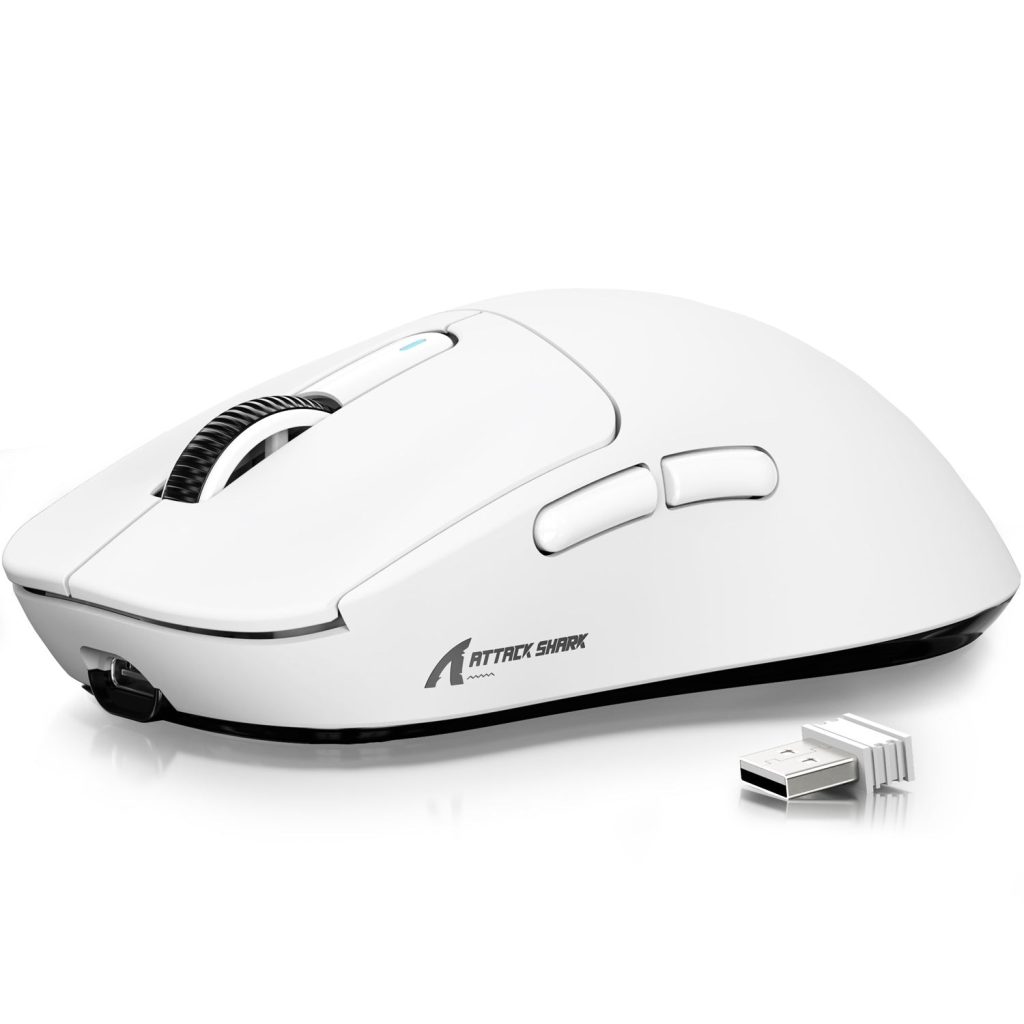
For wireless gaming mice that meet competitive standards, look for models featuring sub-2ms response times, 1000Hz or higher polling rates, and weights below 65 grams. The current generation of flagship wireless mice from established peripheral manufacturers—including brands like ATTACK SHARK that have pushed ultralight wireless designs into accessible price ranges—delivers all three, combining ultralight construction with sensors that track flawlessly at speeds exceeding 400 IPS. These wireless options suit FPS players who demand unrestricted movement and clean desk setups without sacrificing any measurable performance. For wired gaming mice, the best competitive options focus on ultralight designs with flexible paracord-style cables that minimize drag to near-wireless levels. These models often weigh between 50 and 60 grams and pair top-tier optical sensors with mouse sensitivity customization through onboard memory, letting you store DPI profiles that travel with you to any PC. Competitive gamers who want the absolute lightest possible weight sometimes still prefer wired options since eliminating battery components shaves additional grams. Regardless of connection type, prioritize mice offering adjustable DPI steps, low lift-off distance settings, and high-quality PTFE skates. These features ensure your mouse sensitivity configuration translates into precise, consistent in-game performance. Test your shortlisted options in aim training software before committing to ranked play—the mouse that feels most natural during tracking and flick drills is the one that will serve your competitive growth best over time.
Optimizing Your Setup for Competitive Success
The wireless versus wired debate no longer hinges on performance compromises. Modern wireless gaming mice have effectively eliminated the latency gap, delivering response times indistinguishable from wired alternatives in competitive settings. The choice between connection types now comes down to personal workflow preferences—whether you value the absolute reliability and simplicity of a cable or the unrestricted freedom and clean setup that wireless provides. Beyond connection type, mouse sensitivity configuration and weight carry equal or greater influence over your competitive performance. Dialing in your eDPI to match your game genre and committing to consistent muscle memory development will sharpen your aim more than any hardware switch alone. Meanwhile, transitioning to an ultralight gaming mouse reduces fatigue across long sessions and enhances the speed and precision of every movement you make.
The best gaming mouse for you is the one that aligns with your play style, fits your hand naturally, and removes friction between your intentions and in-game actions. Apply the framework outlined here—evaluate your genre, sensitivity needs, weight preferences, and environment—then commit to mastering whatever tool you choose. Your performance ceiling is defined less by wireless versus wired and more by how deliberately you optimize every element of your setup.
