In esports, the difference between victory and defeat often comes down to milliseconds. A single missed flick shot, an imprecise crosshair placement, or a delayed reaction can cost a player the round — and potentially an entire tournament. While skill and strategy remain paramount, the equipment bridging a player’s intent and on-screen action plays a quietly decisive role. At the heart of this connection sits the gaming mouse sensor, a piece of technology that many players rely on but few fully understand.
The central challenge is straightforward: how does a tiny sensor beneath a mouse translate rapid, complex hand movements into pixel-perfect cursor control without introducing errors or delay? Equipment limitations — whether from inconsistent tracking, input lag, or sensor inaccuracies — can silently undermine even the most talented competitor. This article explores the technology powering gaming mice sensors, examining how optical sensors, polling rates, and precision tracking systems work together to deliver the low-latency, reliable control that esports demands. Understanding these mechanisms is the first step toward making smarter gear choices and gaining a genuine competitive edge.
The Core Technology: Understanding Gaming Mice Sensors
A gaming mouse sensor is a small imaging system mounted on the underside of the mouse, responsible for detecting surface movement and translating it into digital signals your computer can interpret. Every time you move your mouse, the sensor captures thousands of tiny images of the surface beneath it, compares consecutive frames, and calculates the direction and distance traveled. This data becomes the cursor movement you see on screen — a process that happens so rapidly it feels instantaneous.
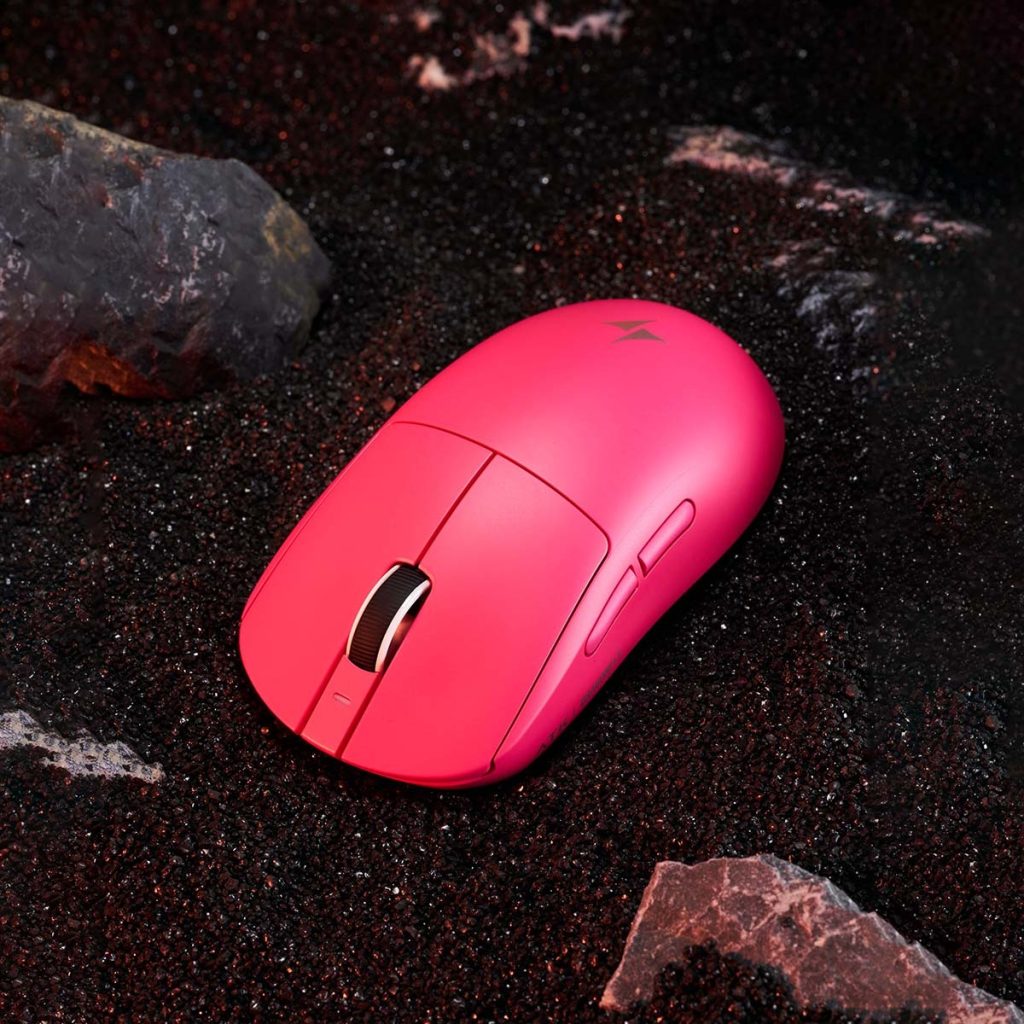
Optical Sensors: The Standard for Accuracy
Optical sensors work by illuminating the surface below with an LED light while a miniature CMOS camera continuously photographs the texture beneath the mouse. A digital signal processor then analyzes changes between successive images to determine precise movement vectors. This approach has largely replaced older laser-based sensors in competitive gaming, and for good reason. Laser sensors read deeper into surface textures, which can introduce unwanted acceleration — meaning the cursor moves farther when you swipe faster, even if the physical distance is the same. For esports players who need a perfectly linear, one-to-one relationship between hand movement and on-screen response, this inconsistency is unacceptable. Modern optical sensors deliver minimal acceleration and consistent tracking across a wide range of speeds, making them the foundation for precision tracking in competitive mouse gaming.
Key Metrics: DPI, CPI, and Lift-Off Distance
Two closely related specifications define a sensor’s sensitivity: DPI (dots per inch) and CPI (counts per inch). While often used interchangeably, CPI is technically more accurate — it describes how many individual movement counts the sensor registers per inch of physical travel. A higher CPI means the cursor covers more screen distance for the same hand movement, while a lower CPI offers finer control for precise aiming. Most competitive players settle somewhere between 400 and 1600 CPI, adjusting to personal preference and game type. Equally important is lift-off distance, which determines how high you can raise the mouse before the sensor stops tracking. A low lift-off distance — typically one to two millimeters — prevents unwanted cursor drift when players lift and reposition their mouse during fast swipes, a common technique in FPS esports. Together, these metrics shape how reliably a sensor captures your intent during high-stakes play.
Polling Rate and Responsiveness: From 1000Hz to 8000Hz
If the sensor determines where your mouse is moving, the polling rate determines how often that information reaches your computer. Measured in hertz, the polling rate defines how many times per second the mouse reports its position to the PC. For years, 1000Hz was the competitive standard — meaning the mouse communicated its position one thousand times per second, or once every millisecond. That single millisecond of reporting interval was considered fast enough for virtually any scenario. But as esports competition has intensified and frame rates have climbed well beyond 240fps, even that narrow window has become a target for optimization.
Enter the 8000Hz polling rate, which shrinks the reporting interval to just 0.125 milliseconds. At this frequency, the mouse sends positional data to the system eight thousand times per second, dramatically reducing the gap between a physical movement and its registration on screen. The result is smoother, more immediate cursor response — particularly noticeable during rapid flicks and micro-adjustments where traditional polling rates can introduce subtle stair-stepping in cursor paths. However, this responsiveness comes with trade-offs. An 8000Hz polling rate demands more CPU processing power, as the system must handle eight times the data compared to 1000Hz. On lower-end hardware, this overhead can actually reduce frame rates or introduce system-level inconsistencies, negating the latency benefits. For this reason, esports players running high-polling-rate mice typically pair them with powerful processors to ensure the entire input chain remains bottleneck-free.
How Polling Rate Impacts In-Game Performance
Consider a practical scenario in a competitive FPS title. Two players with identical aim skill spot each other simultaneously. Player A uses a mouse polling at 1000Hz, while Player B uses one at 8000Hz. When both flick toward the target, Player B’s cursor position updates reach the game engine roughly 0.875 milliseconds sooner on each reporting cycle. While that sounds negligible in isolation, the cumulative effect across the dozens of micro-corrections that comprise a single aim adjustment creates a noticeably smoother tracking path. Player B’s crosshair follows the target with less perceived choppiness, and the final shot registers with fractionally less systemic delay. In games where server tick rates and network latency already consume precious milliseconds, shaving time from the input layer gives players every recoverable advantage. Professional players frequently describe the difference as the cursor feeling “more connected” to their hand — not a dramatic speed boost, but a removal of friction between intent and execution that compounds over hundreds of engagements in a match.
Precision Tracking in Action: How Sensors Capture Every Move
The journey from physical hand movement to on-screen cursor response involves a tightly orchestrated chain of events, and precision tracking depends on every link performing flawlessly. When you move your mouse, the optical sensor’s CMOS camera captures surface images at rates exceeding 10,000 frames per second. A dedicated digital signal processor compares each frame to the previous one, calculating displacement vectors that represent exactly how far and in which direction the mouse traveled. These calculations are then transmitted to the PC at whatever polling rate the mouse is configured to use, where the operating system and game engine translate them into cursor or crosshair movement. The entire pipeline — from photon hitting the sensor to pixel shifting on your monitor — must complete in under a few milliseconds to feel responsive during competitive play.
Modern sensors incorporate several technologies to keep this pipeline airtight. Surface calibration allows the sensor to optimize its tracking algorithms for the specific mousepad material underneath, adjusting focus distance and LED intensity to maximize image clarity. Motion sync is another critical feature — it aligns the sensor’s data reporting with the polling cycle so that each update contains the freshest possible positional information rather than slightly stale data captured mid-cycle. Low-latency processing within the sensor itself minimizes the time between image capture and data output, ensuring that precision tracking reflects your real-time intent rather than a delayed approximation. Together, these features create a system where the optical sensor doesn’t just detect movement — it faithfully preserves the nuance of every micro-adjustment, flick, and steady track.
Overcoming Common Tracking Issues
Even advanced sensors face challenges that can compromise consistency. Jitter — tiny, erratic cursor movements when the mouse is stationary or moving slowly — occurs when the sensor misinterprets surface noise as intentional input. Modern processors use advanced filtering algorithms that distinguish genuine movement from electrical or optical noise without adding perceptible smoothing delay. Acceleration, where cursor speed doesn’t scale linearly with hand speed, plagued earlier sensor generations and made muscle memory unreliable. Current optical sensors achieve near-zero acceleration across their full tracking speed range, ensuring that a two-inch swipe produces the same on-screen distance whether performed slowly or at maximum velocity. Spin-out — the sensor completely losing track during extremely fast movements — was once a common frustration during aggressive flick shots. Today’s flagship sensors maintain accurate tracking at speeds exceeding 750 inches per second, well beyond what even the fastest esports players generate. By engineering solutions to these specific failure modes, sensor manufacturers have made precision tracking robust enough that competitive players can trust their equipment to faithfully execute whatever their hands demand.
Solutions for Esports Players: Choosing and Optimizing Your Gaming Mouse
Understanding sensor technology is only valuable if it translates into better equipment decisions and smarter configuration. For esports players looking to eliminate equipment as a variable in their performance, the selection process should be methodical — starting with the sensor and extending through every configurable setting. The goal isn’t necessarily to buy the most expensive mouse on the market, but to identify the combination of sensor capability, polling rate, and physical design that aligns with your specific play style and competitive needs.
Step-by-Step Guide to Selecting the Right Sensor
Begin by confirming the mouse uses a modern optical sensor from a reputable manufacturer. Sensors built on PixArt’s PMW3395 or PAW3950 platforms, as well as proprietary designs from major gaming brands like ATK Gear, consistently deliver the zero-acceleration, high-speed tracking that competitive play demands. Next, verify that the sensor supports adjustable CPI in granular increments — you want the flexibility to dial in your exact preferred sensitivity rather than being locked to preset steps. Check the sensor’s maximum tracking speed and ensure it comfortably exceeds your play style; anything above 650 inches per second provides ample headroom for aggressive flick-based aiming. Polling rate support matters significantly, so prioritize mice offering at least 1000Hz, with 4000Hz or 8000Hz polling rate options available if your system hardware can handle the additional processing overhead. Finally, research lift-off distance specifications and look for mice that allow you to customize this setting, ideally achieving one to two millimeters for clean tracking during lift-and-reposition movements. Reading reviews from esports-focused publications and watching sensor analysis breakdowns from independent testers will give you real-world performance data that specification sheets alone cannot provide.
Optimization Tips for Peak Performance
Once you have the right mouse, proper configuration unlocks its full potential. Start by running the manufacturer’s surface calibration tool on the exact mousepad you use during competition — this tunes the sensor’s focus and LED output for optimal image quality on that specific material. Set your polling rate to the highest stable option your system supports; test by monitoring frame rate and frame timing in your primary game to confirm that increased polling doesn’t introduce CPU-side stuttering. Adjust your CPI to a baseline that feels comfortable for general aiming, then fine-tune by spending dedicated time in aim trainers tracking targets at various distances and speeds. Disable any operating system mouse acceleration settings, as these override the sensor’s native linear tracking and destroy the consistency your muscle memory depends on. Keep the sensor lens and mousepad surface clean — dust and debris degrade image clarity and can introduce tracking artifacts that mimic jitter. Replace worn mousepad surfaces periodically, since frayed or smoothed-out textures reduce the visual contrast the sensor relies on for accurate frame comparison. These maintenance and configuration habits ensure that the precision tracking your sensor is capable of actually reaches the game engine intact, giving you reliable, low-latency control through every round.
Turning Sensor Technology Into a Competitive Advantage
Gaming mice sensors have evolved into remarkably sophisticated systems where every component serves a specific competitive purpose. Optical sensors provide the foundation — capturing surface movement with near-zero acceleration and translating hand motion into faithful, linear cursor response. High polling rates, now reaching 8000Hz, compress the reporting gap between physical input and on-screen action to fractions of a millisecond, delivering smoother tracking paths and tighter responsiveness during the rapid engagements that define esports. Precision tracking ties everything together through surface calibration, motion sync, and advanced filtering that eliminate jitter, spin-out, and inconsistency before they ever reach the game engine.
For competitive players, the practical takeaway is clear: understanding how these technologies work transforms equipment selection from guesswork into informed decision-making. Choosing a mouse with a proven optical sensor, configuring polling rates to match your system’s capabilities, fine-tuning CPI to your play style, and maintaining your setup through regular calibration and surface care — these steps collectively ensure that your gear faithfully captures every intention without adding delay or error. In a competitive landscape where margins are razor-thin, removing equipment as a source of inconsistency is one of the most reliable advantages a player can secure.
