A boy attitude status video download usually refers to a short, bold video clip made for a WhatsApp Status, Instagram Story, Reel, or similar social post. These clips often combine a confident quote, a photo or video background, text effects, and music. The safest approach is to download videos you made yourself, use clips offered with a clear download option and reuse permission, or create a new status video from licensed assets.
Avoid sites and apps that promise unlimited downloads from every social platform. They may violate a platform’s rules, expose you to misleading ads or malware, or encourage reuse of a creator’s work without permission.
You May Read: attitude status marathi girl
What makes an attitude status video work?
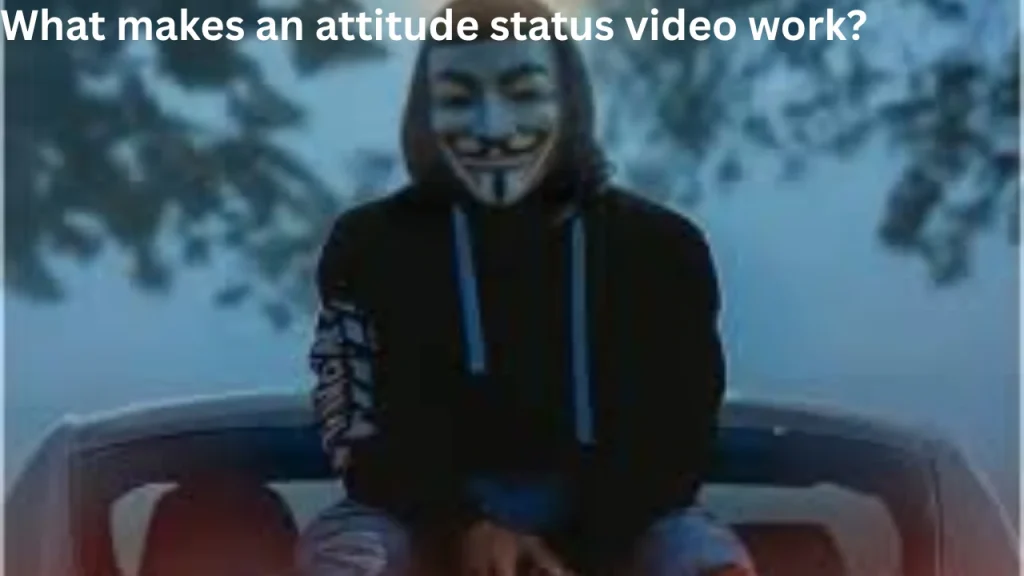
An attitude status video is usually brief and visually simple. It communicates confidence, independence, ambition, or a calm “no explanation needed” mood. “Attitude” does not have to mean insulting or aggressive; the most shareable clips often use a clean line, readable text, and a fitting visual.
For a status, aim for one clear feeling rather than several messages. A viewer should be able to understand the line even with the sound off.
- Length: Keep the message short enough to read quickly.
- Text: Use high contrast between words and the background.
- Visual: Choose an original portrait, street scene, car detail, workout clip, or abstract background you are allowed to use.
- Audio: Use your own voice, royalty-free audio, or music available through the platform’s licensed library.
- Tone: Confident language lands better than threats, harassment, or personal attacks.
Boy attitude status video download: choose a safe source
Download only where the creator, platform, or license clearly allows it. The right option depends on whether the video is yours, shared directly with you, or published for reuse.
| Type of clip | Safer way to save or use it | What to check |
|---|---|---|
| Your own post or edit | Export the original project or use the app’s official save/download option. | Keep a copy without a watermark if your editor provides one. |
| A video sent by a friend | Ask the sender for the original file or save it through the chat app if sharing is permitted. | Confirm they created it or have permission to pass it on. |
| Creator-made template or stock clip | Use the creator’s stated download link or a reputable stock-media library. | Read the license, especially for public, commercial, or edited use. |
| Social-media post by someone else | Use the platform’s built-in save/bookmark feature, share the post, or ask the creator for permission. | Saving a bookmark is not the same as receiving rights to repost it. |
A platform’s official “save” feature may store a post inside your account rather than create a video file on your phone. That is often intentional: it lets you return to the post while preserving the creator’s attribution and the platform’s controls.
How to make your own status video
Creating an original clip is often faster than searching through low-quality downloads. A simple mobile editor, a photo/video gallery, and a legal audio source are enough for a polished result.
- Choose one idea. Pick a mood such as self-respect, discipline, silence, focus, or growth. Write one short line that matches it.
- Select a vertical background. Use a video you recorded or an image you have permission to edit. Vertical footage generally suits status and story formats better.
- Add the text. Place it away from buttons and profile areas. Use a large, plain font and leave enough time for reading.
- Add motion carefully. A slow zoom, fade, or text entrance is usually enough. Too many effects can make a short status hard to watch.
- Use permitted audio. Add your own narration or select music from the platform where you will post. Audio rights can differ across apps and regions.
- Preview before exporting. Check spelling, text visibility, and whether the opening frame makes sense without sound.
- Export and save. Save the final file to your device, then upload it using the status or story tool.
Keep an editable original
Save the project file, raw footage, and a clean exported version. This makes it easy to change a quote, replace music, or resize the clip for another platform without downloading a compressed copy of your own post later.
Short attitude lines that are safer to personalize
Original wording reduces the risk of copying another creator’s exact caption. Personalize a line so it reflects your own voice rather than presenting it as a famous quote.
- “Quiet work, clear results.”
- “My focus speaks for me.”
- “No race—just progress.”
- “Respect is mutual.”
- “Less noise, more purpose.”
- “Built on discipline, not approval.”
- “I know my direction.”
- “The plan is private; the result is visible.”
Use a line as a starting point, not as a reason to target someone. Avoid naming individuals, sharing private information, or posting material meant to intimidate or humiliate.
Respect copyright, permissions, and music rules
Seeing a video online does not automatically give permission to copy it, remove its watermark, or repost it as your own. A clip may include protected video footage, photographs, music, logos, or a creator’s editing work. Credit is courteous, but credit alone does not replace permission.
Before downloading or reposting, look for a clear statement that the creator allows reuse. If there is no permission, ask. If you cannot contact the creator, sharing the original post through the platform’s built-in tools is usually a better choice than re-uploading the file.
Music needs separate attention. A song that is available inside one social app may be licensed only for use within that app and may not be cleared for a copied video posted elsewhere. If you want a file you can reuse across services, use audio you created, audio with an appropriate license, or a track supplied under the terms you need.
Protect your phone and account while downloading
Unofficial download pages commonly use pop-ups, fake play buttons, redirects, and requests for unnecessary permissions. A legitimate media download should not require your social-media password, a browser extension, or access to contacts and messages.
- Do not enter account credentials into a third-party downloader.
- Close pages that push repeated notifications, app installs, or “verification” steps.
- Do not install unknown APK files or mobile profiles just to save one clip.
- Check downloads before opening them, especially if the file extension is unfamiliar.
- Use your device’s official app store and built-in security protections.
- Delete files that arrived from unknown senders or look unrelated to video content.
If an app says it can access private posts, locked accounts, or content that the platform itself does not offer for download, treat that as a warning sign. Private content should remain private unless the owner directly shares it with you.
Get a clean-looking result without copying someone else’s edit
Many status videos look similar because they use the same visual language: dark backgrounds, high-contrast words, quick cuts, and a beat-synced transition. You can use that general style while still making a distinct piece.
Use a simple layout
Place one main sentence in the center or lower third. Add a smaller signature only if it does not distract. Keep the background uncluttered, and avoid tiny text that becomes unreadable after app compression.
Match visuals to the message
A disciplined line can suit a morning walk, study desk, gym clip, road view, or neutral city footage. A reflective line may work better with rain, sky, shadows, or a still portrait. The visual should support the mood instead of competing with the words.
Do not rely on watermarks
Removing another person’s watermark is not a substitute for permission. If you like an edit, ask for the original file, use an authorized template, or recreate the concept with your own footage and text.
Common problems and practical fixes
The video looks blurry after posting
Social apps often compress uploads. Start with a clear original file, avoid repeatedly downloading and re-uploading the same clip, and export only after your edit is finished. Fine text, heavy filters, and very dark footage can lose detail first.
The text is cut off
Story and status interfaces place controls near the top and bottom of the screen. Keep important words away from the outer edges, then preview the post before publishing. If possible, make a test upload visible only to yourself or a limited audience.
The sound disappears or is muted
The app may recognize audio that is unavailable for that type of post, region, or account. Replace it with permitted audio, a voiceover, or a platform-library track. Do not assume that a song is reusable merely because another user posted it.
The downloaded file will not play
Check that it is actually a video file and not an advertisement, webpage shortcut, or incomplete download. Re-download only from a trusted source, ensure there is enough storage space, and try opening the file in your phone’s standard media player.
FAQs
Can I download a status video from another person?
Only do so when the person has shared the file with you or has clearly allowed downloading and reuse. For a public post, use the platform’s save or share tools, or ask the creator directly.
Is it okay to repost a video if I give credit?
Credit does not automatically grant permission. The creator or rights holder may still control copying and reposting. Ask first, especially if you plan to remove branding, edit the clip, or use it publicly.
What format is best for a status video?
A vertical video is generally the most practical choice because status and story viewers hold phones upright. The exact size, length limits, and supported formats vary by app, so check the upload screen or help section before exporting.
Where can I get music for an original attitude video?
Use your own audio, music offered by the platform for posting within that platform, or tracks with terms that permit your intended use. Read the license rather than assuming royalty-free means unrestricted.
Why should I avoid third-party social-media downloaders?
They can conflict with platform rules and may expose you to scams, unwanted downloads, privacy risks, or low-quality files. Official saving and sharing features, direct permission, and original edits are safer options.
A better approach than random downloads
For a boy attitude status video download, the most reliable path is to save your own edit, use an authorized template or stock asset, or get permission from the original creator. Keep the message short, use media you are allowed to share, and choose audio that fits the platform’s rules. The result will look more personal, avoid unnecessary account and security risks, and be easier to post with confidence.
