
Modern MacBooks represent Apple’s vision of minimalist perfection—sleek, lightweight, and powerful. Yet this elegant design comes with a frustrating trade-off: limited ports. For professionals juggling external monitors, hard drives, SD cards, and charging cables, those two or three USB-C ports quickly become a connectivity nightmare. You’ve likely experienced the daily dance of unplugging one device to connect another, wondering if your premium laptop should require such constant compromise. This is where a USB-C hub enters as the essential bridge between your MacBook’s simplicity and your work’s complexity. How can one compact device transform your portable laptop into a complete, capable workstation? This article explores why a multi-port adapter isn’t just convenient—it’s necessary. We’ll examine the core connectivity challenges MacBook users face, define what makes a hub truly “complete,” identify the critical features you should demand, and provide clear criteria for selecting the perfect hub that unlocks your MacBook’s full professional potential.
The Modern MacBook Dilemma: Power vs. Ports
Apple’s relentless pursuit of minimalism has redefined laptop design, but it’s created an unexpected friction point for users. The latest MacBook Air models feature just two USB-C ports, while even the powerful MacBook Pro maxes out at three or four. This design philosophy prioritizes thinness and aesthetics over immediate functionality, forcing users into constant connectivity compromises. Consider your typical workday: you need to charge your laptop, connect an external monitor for extended screen space, plug in a USB drive to transfer files, and perhaps insert an SD card from your camera. Suddenly, those elegant ports become a game of musical chairs—what stays connected, and what gets sacrificed? For photographers editing high-resolution images, developers running multiple peripherals, or business professionals presenting while charging, this limitation isn’t just inconvenient; it’s a genuine productivity bottleneck. You’re left choosing between essential tools or investing in a tangled web of individual adapters that clutter your workspace and bag. The irony is sharp: you’ve invested in a premium, powerful machine designed for professional work, yet you’re constantly managing connection logistics instead of focusing on actual tasks. A quality USB-C hub dissolves this tension entirely, transforming those limited ports into a comprehensive connectivity ecosystem that matches your MacBook’s performance capabilities with the practical demands of modern professional work.
What is a Complete Workstation Hub? Defining Your Multi-Port Adapter
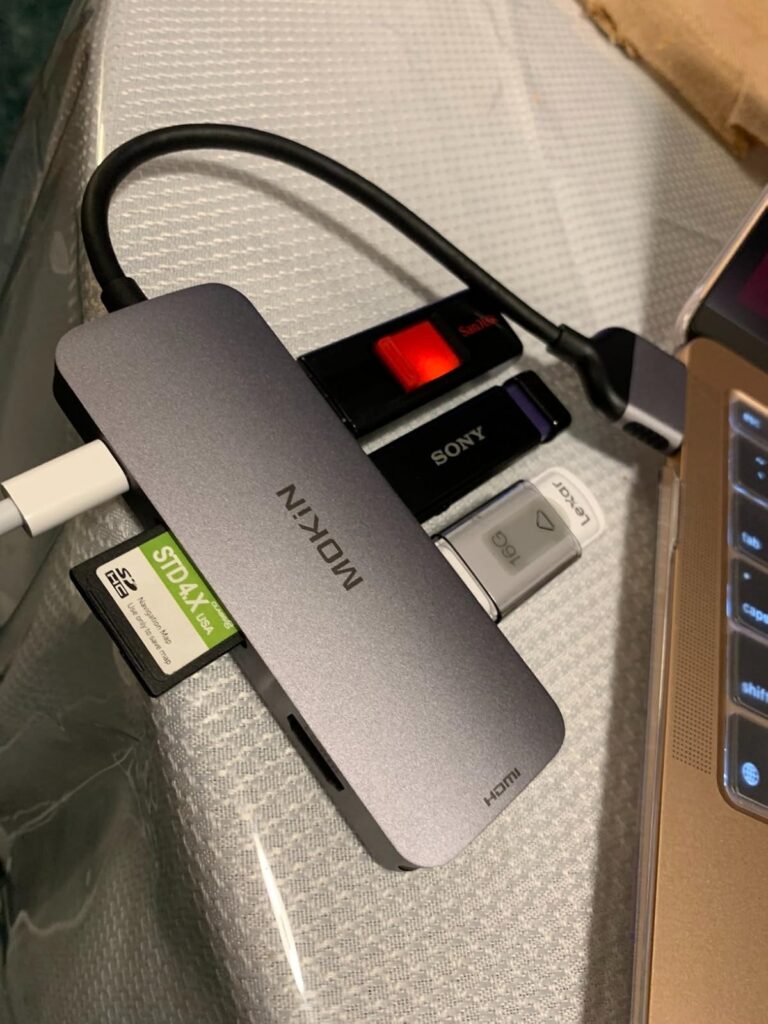
A USB-C hub for MacBook is far more than a simple dongle or single-port adapter—it’s a centralized connectivity station that expands your laptop’s capabilities into a full-fledged desktop environment. Think of it as the nerve center of your workspace, channeling multiple connection types through a single, streamlined device. A truly “complete” hub encompasses three critical port categories that address every professional need. First, video output options like HDMI or DisplayPort enable you to connect external monitors, projectors, or televisions, extending your visual workspace for multitasking and presentations. Second, data and power ports—including USB-A for legacy devices and USB-C with Power Delivery—ensure you can transfer files at high speeds while simultaneously charging your MacBook without occupying additional ports. Third, network and specialized connections such as Gigabit Ethernet for rock-solid internet stability and SD/microSD card readers for photographers and videographers round out the ecosystem. Together, these port categories transform your portable MacBook from a mobile device into a stationary powerhouse. The hub essentially acts as a docking station without the bulk, giving you instant access to all your peripherals through one connection point. When you understand this comprehensive definition, you realize a quality hub isn’t just solving a port shortage—it’s creating an entirely new way to work, where connectivity becomes invisible and your focus remains on what matters: your actual work.

Key Features to Look for in Your MacBook Hub
1. The Essential Port Trio: USB, HDMI, and Ethernet
When evaluating any hub, start with the three connections that define professional functionality. USB-A ports remain indispensable despite the USB-C revolution—your external keyboard, mouse, printer, and countless other peripherals still rely on this standard connection. Look for at least two USB-A 3.0 ports to maintain compatibility with your existing devices without forcing expensive replacements. HDMI output is equally critical, but the specification matters tremendously. A hub supporting 4K resolution at 60Hz ensures your external monitor displays sharp, fluid visuals without lag or screen tearing, essential for video editing, design work, or even smooth scrolling through documents. Settling for 30Hz creates noticeable stutter that strains your eyes during extended work sessions. Finally, Gigabit Ethernet provides the reliability that Wi-Fi simply cannot match. When you’re uploading large files, participating in video conferences, or accessing cloud resources, a wired connection eliminates dropped signals, bandwidth fluctuations, and interference issues. This trio forms the foundation of dependable connectivity—enabling you to work with legacy devices, expand your visual workspace, and maintain unwavering internet stability simultaneously.
2. Power Delivery (PD): Keeping Your MacBook Charged
A hub that drains your battery while you work defeats its entire purpose. Power Delivery pass-through charging allows you to power your MacBook through the hub itself, freeing your remaining ports for other uses. However, wattage specifications determine whether your laptop charges efficiently or struggles to maintain battery levels under load. MacBook Air users should seek hubs supporting at least 60W PD, while MacBook Pro owners need 85W or higher to match their original chargers’ output. Insufficient wattage means your battery slowly depletes during intensive tasks even while plugged in, or charging takes frustratingly long. Verify the hub explicitly states its PD wattage and that it matches or exceeds your MacBook’s power adapter rating. Manufacturers like MOKiN have developed hubs with up to 100W Power Delivery specifically designed to handle the charging demands of high-performance MacBook Pro models while simultaneously powering multiple peripherals. This single feature transforms your hub from a peripheral expander into a true docking solution—one cable connection delivers power and access to all your devices simultaneously, creating the seamless one-plug workflow that makes arriving at your desk effortless.
3. Build Quality, Design, and Data Speeds
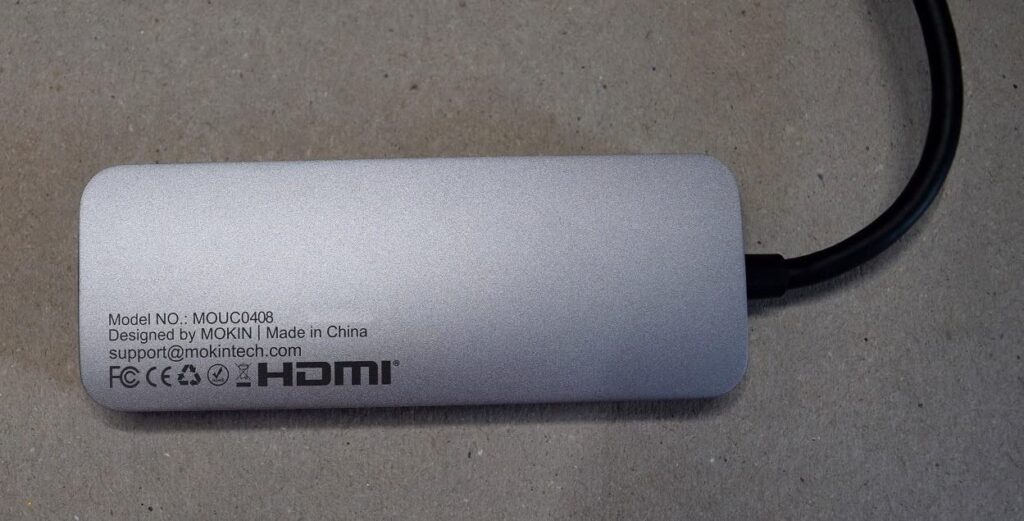
The physical construction of your hub directly impacts its longevity and performance. Aluminum housing isn’t just aesthetically pleasing—it functions as a critical heat sink, dissipating warmth generated during high-speed data transfers and power delivery. Plastic alternatives trap heat, leading to thermal throttling, connection instability, or premature failure. Size and portability matter too; a compact, lightweight hub travels easily in your laptop bag without adding bulk, while an overly large unit defeats the MacBook’s portable nature. Examine the cable length and flexibility—a short, rigid cable forces awkward positioning, while a braided, flexible cable provides positioning freedom. Data transfer speeds separate adequate hubs from exceptional ones. USB 3.0 offers 5Gbps transfer rates, but USB 3.1 Gen 2 doubles that to 10Gbps, cutting file transfer times in half when moving large video projects or photo libraries. If you regularly work with substantial files, this speed difference translates to saved hours over months of use. Quality construction paired with high-speed standards ensures your hub performs reliably for years, not months.
Transforming Your Workflow: The Complete Workstation in Action
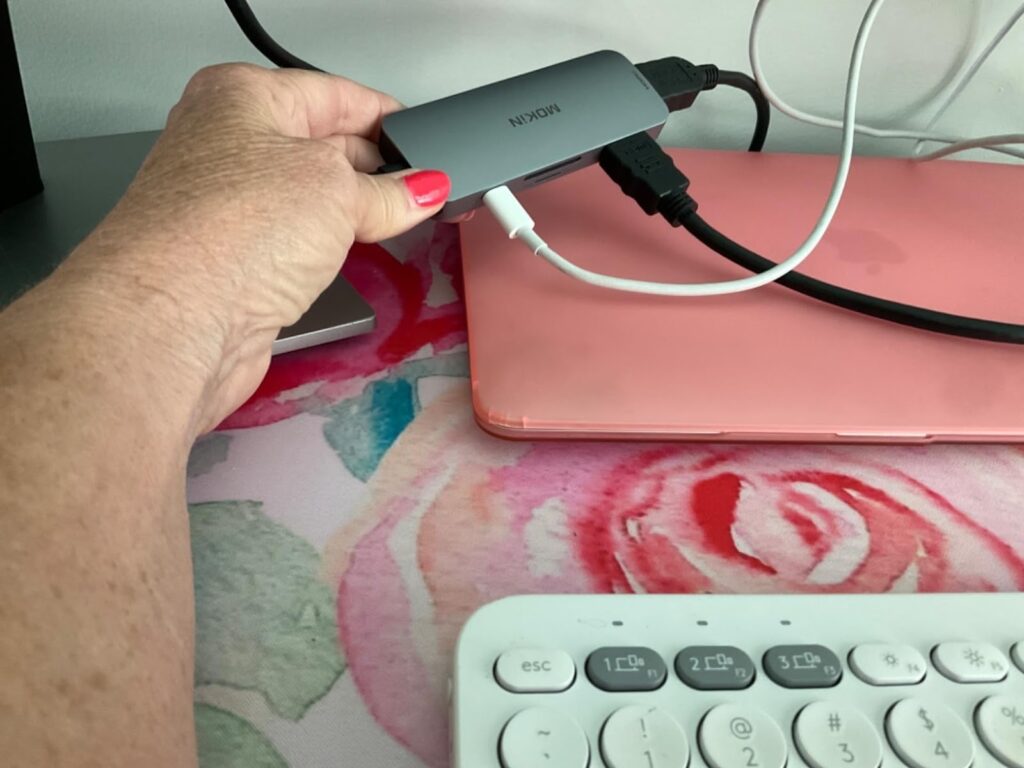
Imagine arriving at your desk each morning and connecting a single cable to your MacBook—instantly, your entire workspace comes alive. For the creative professional, this means your 4K monitor displays your design project in full resolution, your external SSD streams 8K video footage without stuttering, and your camera’s SD card sits ready for immediate import, all while your laptop charges at full speed. You’re editing within seconds, not fumbling with multiple adapters or deciding which device to disconnect. The remote worker experiences a similar transformation: one connection establishes rock-solid Gigabit Ethernet for flawless video calls, powers dual monitors for spreadsheet analysis alongside communication tools, connects a mechanical keyboard and ergonomic mouse, and keeps the webcam and microphone ready—all without a single dropped connection or battery anxiety. Even the student preparing a presentation benefits dramatically: walk into the conference room, plug in one cable, and your slides appear on the projector while your MacBook charges, leaving your hands free to advance slides with a wireless clicker connected through the hub’s USB port. These aren’t hypothetical scenarios—they’re the daily reality a complete workstation hub creates. The constant mental load of connection management disappears entirely. Your MacBook transitions seamlessly from a portable device to a comprehensive workstation without compromising either role, enabling you to focus completely on your work rather than your workspace logistics.
Making the Choice: Selecting the Right Hub for Your Needs
Not all hubs are created equal, and your ideal choice depends on honest assessment of your daily workflow. Start by auditing your typical workday: count how many devices you connect simultaneously and identify which port types you use most frequently. A photographer needs SD card access and multiple USB ports for external drives, while a developer might prioritize Ethernet stability and dual HDMI outputs. If you regularly connect three or fewer devices, a streamlined 5-in-1 hub offers portability without excess bulk. Power users juggling monitors, drives, keyboards, and network connections should invest in comprehensive 7-in-1 or greater hubs that eliminate any connectivity compromise. Future-proofing matters too—choosing a hub with USB 3.1 Gen 2 and 100W Power Delivery ensures compatibility as your devices and MacBook models evolve. Build quality separates reliable workhorses from disposable electronics; prioritize aluminum construction from established manufacturers with proven track records and solid warranty coverage. Read user reviews specifically from MacBook owners to identify compatibility issues before purchase. Remember, a quality hub isn’t an expense—it’s an investment that multiplies your MacBook’s value by unlocking capabilities you’ve already paid for but can’t access. The right hub transforms your premium laptop from a port-limited device into the complete, professional workstation it was designed to be.
Unlock Your MacBook’s Full Potential
A USB-C hub isn’t merely a convenient accessory for your MacBook—it’s a fundamental component that bridges the gap between Apple’s minimalist design vision and the complex demands of professional work. Without it, you’re constantly forced to choose between essential devices, sacrifice productivity for aesthetics, and manage a frustrating tangle of connection compromises. With the right multi-port adapter, those limitations vanish entirely. Your sleek, portable MacBook instantly becomes a comprehensive workstation capable of handling simultaneous displays, high-speed data transfers, stable network connections, and continuous charging—all through a single cable connection. Whether you’re a creative professional managing large media files, a remote worker requiring reliable video conferencing, or a student delivering polished presentations, a complete workstation hub unlocks capabilities you’ve already invested in but couldn’t fully access. The modern work environment demands flexibility, reliability, and seamless connectivity. Your MacBook possesses the power to deliver all three, but only when paired with a quality hub that matches its performance potential. Stop compromising, stop unplugging, and stop limiting what your premium laptop can achieve. Choose the right multi-port adapter, and transform your MacBook into the complete, powerful workstation it was always meant to be.
